Navionics vs Garmin Navionics: Practical Guide
Alexandra
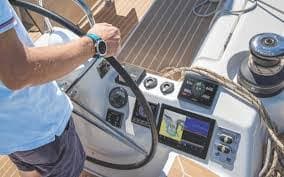
Daily chart-update logistics for Navionics+ and Garmin Navionics+ are account- and card-based respectively, so fleet managers and charter operators must plan for subscription renewals, transfer procedures when swapping chartplotters, and the timing of updates before departures to busy marinas or narrow channels.
Compatibility and deployment: what matters for a charter or rental fleet
Both Navionics+ and Garmin Navionics+ cover coastal waters, lakes and rivers and work differently when it comes to deployment. Navionics charts are broadly compatible with brands such as B&G, Furuno, Humminbird, Lowrance, Raymarine and Simrad, while Garmin Navionics+ is designed to pair seamlessly with Garmin chartplotters. From a logistics perspective this means fewer headaches integrating with existing hardware when you stick to the same manufacturer family.
Practical checklist before you rent or charter
- Confirm chart format compatibility with your vessel’s chartplotter.
- Verify whether the license is tied to a microSD card, device or user account.
- Schedule chart updates during off-peak hours to avoid bandwidth bottlenecks at marinas.
- Train captains and delivery crews on how to install updates and use guidance features.
Feature breakdown: what you get with standard packages
Standard packages focus on reliable navigation fundamentals: depth contours, coastline detail, buoys, wrecks and commonly used points of interest. Both platforms include one year of daily chart updates with initial purchase, but the user experience diverges in community content and route guidance.
📚 También te puede interesar
| Feature | Navionics+ | Garmin Navionics+ |
|---|---|---|
| Daily chart updates | Included for 1 year | Included for 1 year |
| Compatibility | B&G, Furuno, Humminbird, Lowrance, Raymarine, Simrad | Garmin chartplotters |
| Route guidance | Advanced route guidance using boat settings | Auto Guidance+ for dock-to-dock planning |
| User community | Navionics Boating Community Edits | ActiveCaptain community |
Depth and fishing details
For anglers and rental boats operating on lakes, both systems offer up to 0.5 m contours which reveal bottom structure useful for trolling or anchoring. Community-sourced edits and marks can be a godsend in lesser-charted bays—just remember to cross-check before dropping the hook.
Premium tiers: when Platinum+ and Vision+ make sense
Upgrade options add visual layers and enhanced situational awareness. Navionics Platinum+ and Garmin Navionics Vision+ bring >high-resolution relief shading, satellite and aerial imagery, and 3D perspectives that help skippers and guests quickly recognise landmarks topside and seabed features below.
Benefits for charter operators and captains
- Relief shading simplifies depth perception when briefing guests or navigating channels.
- Satellite and aerial photos improve marina approach planning and berth selection.
- 3D views can reduce time spent scouting anchorages—handy when guests are eager to hit the beach.
How Navimaps and community tools fit into the supply chain
NAVIMAPS acts as an authorised distributor in certain regions, which is useful for commercial buyers who need bulk licensing, tailored support and integration advice. For individual renters, the ActiveCaptain and Navionics Boating communities provide local tips, POIs and up-to-date info from fellow mariners. Think of it as crowdsourced local knowledge feeding into your navigation workflow.
Deployment tips for rental fleets
- Standardise on one chart ecosystem per fleet where practical to reduce training and spares inventory.
- Keep a master microSD or linked account with updated charts and duplicate copies for backup.
- Log chart update dates and maintain a simple SOP so captains know when the last refresh occurred.
Speaking from experience, a late-night delivery into a crowded gulf marina taught me that a clear aerial view and a reliable route-guidance suggestion can make the difference between a smooth arrival and a nerve-wracking ten-minute circling for a berth—so don’t skip the prep work. As the old saying goes: forewarned is fore-anchored.
Choosing the right level for your needs
If you run short-term rentals or a charter yacht, weigh the cost of premium imagery against time saved on approaches and guest briefings. For fishing charters or lake rentals, contour detail and community edits often provide the most value. For superyacht operations or superyacht captains overseeing complex passages, premium packages offer extra situational awareness that pays off over long passages.
Wrap-up: Navionics+ and Garmin Navionics+ both deliver essential chart coverage and daily updates, with Premium tiers (Platinum+/Vision+) adding relief shading, satellite/aerial imagery and 3D views. Compatibility differs — Navionics works across many chartplotter brands while Garmin’s variant pairs with Garmin units — so fleet managers should standardise where possible, keep subscriptions current, and use community tools like ActiveCaptain or NAVIMAPS for local intel. In short: pick the package that matches your hardware, charter model and activity mix—yacht or small boat, charter or sale, fishing trip or getaway to clearwater beaches—and you’ll keep captains confident and guests smiling on the sea, ocean, gulf or lake.