


 English (UK)
  Русский
  العربية
  日本語
日本語  한국어
한국어  Magyar
  Türkçe
  Español
  Čeština
  Svenska
  Português
  Ελληνικά
  Suomi
Suomi  Nederlands
  Română
  Italiano
  Français
  Polski
  Українська
  Deutsch
  简体中文
简体中文  Slovenčina

Choose a smartwatch with at least 48 hours of battery life in expedition mode, a rugged GPS, and a reliable flashlight for night checks. There is less clutter on screen when the interface stays simple, and the group stays on course with a single, readable display that resists spray.
For navigation data, prioritize continuous chart updates and faster map loading. Look for a device that shows a clear chart view, supports offline maps, and maintains a stable coordinate fix under variable conditions. The ratio of screen brightness to battery use should stay within a predictable range, so you can operate longer without charging; from dawn to dusk, this matters when you need maximum situational awareness.
Durability matters: a lightweight plastic chassis resists corrosion while keeping weight down; available models with reinforced bezels can handle salt spray. If you work in a small crew, a dedicated USB plug or charging dock helps keep devices ready between shifts, and a morning battery check ensures continuous operation during an expedition.
In practice, you want the device to handle dynamics on deck and in cockpit: set alerts for drift, enable night lighting, and test in morning drills. Although watch interfaces are fast, they work best as a secondary reference alongside printed charts or a second device; keep there no single device replacing seamanship, and use the wrist device to augment, not replace, crew routines.
Sailor Wrist Navigation: Evaluating Smartwatch Capabilities
Recommendation: Choose a marine-grade smartwatch with built-in GPS, an altimeter, and a heart-rate sensor. Ensure the device has a sapphire crystal, is customisable with on-screen dashboards, and can deliver realtime data alongside on-screen charts. Make sure it connects reliably over Bluetooth and wi-fi for map updates, with a sturdy tracker for day-to-day wear during adventure at sea.
Test how a model handles chartplotter-style navigation: confirm it can display coastal routes and overlays on-screen, read date and time accurately, and update morning logs as you are rowing across calm seas. Ensure the apps store offers reliable offline navigation and that you can start a voyage log that includes latitude, longitude, altitude from the altimeter, and bearing in realtime.
Hardware and display notes: choose a sapphire-crystal panel with high resolution so icons remain legible at a glance. The heart-rate sensor should stay accurate at motion, and the altimeter should react quickly to pressure changes when rolling over waves. A customisable watchface helps you place critical data–speed, distance, date, and other metrics–where you want it. For morning workouts or rowing sessions, make the screen readable under glare and with a bright backlight, even when you tilt the wrist.
Connectivity and longevity matter: ensure the device can sync updates over the air and supports reliable wi-fi or Bluetooth handoffs to a tablet or chartplotter apps. Consider a model with long battery life, ideally lasting through a multi-day adventure and providing a tracker for progress. If you sail with crew, verify multi-user support and secure apps sharing, and decide whether you prefer a wristwatch or a device clipped to the rig for marine operations.
Battery Life at Sea: Power Management and Longevity
Enable Power saver mode and disable Always-On Display to extend daily runtime, especially during daylight navigation, while ensuring critical notification alerts still reach you.
With GPS active, most watches used by sailors deliver 6–12 hours of continuous navigation, music playback, or charting. When GPS is off and screen brightness stays moderate, expect 2–4 days of use; in standby, some models reach 5–7 days, depending on sensor load and notifications. Tune modes to fit respective sailing conditions.
To maximize uptime while on watch, implement these steps: Turn on Power saver, lower brightness to 30–40%, disable Always-On Display, and mute nonessential vibrations. Limit wake-ups and use offline maps and music stored on the watch memory; available storage varies by model. Configure a focused notification profile that shows only navigation alerts and weather. Another tip: set an intuitive view that highlights the route line rather than every metric. Do this before you depart, so you start with a lean setup.
Choose a model with sapphire glass and a robust housing to withstand deck spray. A registered IP68 rating helps protect from humidity and splashes. The heart rate sensor adds energy demand, so disable it during long stretches of passive monitoring; when you need monitoring, use the minimum sampling rate. For daylight visibility and nautical operations, pick an intuitive clock face that remains legible on the glass. Some watches include a dedicated power saver or nautical mode, which minimizes screen refresh and disables music streaming.
For a sailor, plan charging on shore or at anchor. Keep a spare charger included in your kit. If your model supports solar charging, position the device to capture daylight while keeping deck duties safe. A well-balanced setup prioritizes navigation view and clock face information you rely on, with notifications kept to a minimum during rough seas. As mentioned, maintain registered accessories and keep the view clear of glare; ensure the sapphire glass protects the display, and check the heart rate sensor status to manage power accordingly. This keeps the sailor well powered for watch rotations.
GPS, Maps, and Navigation Aids: Accuracy and Practical Use
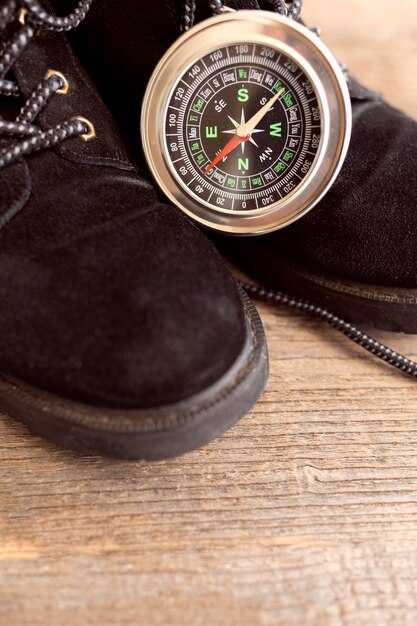
Opt for a smartwatch with offline maps and multi-constellation GPS; pair it with your phone for backup, and keep the device slim to avoid bulky interference with the antenna. Check the features list: offline maps, compass, and route alarms. Use it as your primary reference, but carry a paper chart and a manual as a quick reference on deck.
Currently, GPS accuracy on modern smartwatches typically lands in the 3–5 meter range in open water, rising to 10–20 meters near shore or in urban canyons. A multi-constellation receiver (GPS plus Galileo and GLONASS) improves fix stability, and WAAS/EGNOS corrections can shave a few meters when available. When signals are weak, preloading maps and saving anchor points helps you stay oriented even during a breakdown in signal.
- Plan the route once on shore, loading offline maps and saving waypoints before you cast off. This avoids data bursts at sea and gives you a reliable reference if the connection drops.
- On deck, glance at the map to confirm current position, bearing, and distance to the next waypoint. Use the touchscreen to zoom in on critical turns, while keeping eyes on the water for safety.
- Set up clear navigation fields: coordinates, heading, speed, and estimated time to waypoint. If available, enable tide or current overlays and keep respiration and activity data visible as fatigue indicators during long watches.
- Utilize open map sources when possible, and ensure compatibility with your phone for chart transfer and backup. If your watch supports OpenStreetMap or other open formats, keep a small cache of coastal contours and harbor entries for quick reference.
- During a sporting leg or maneuver, rely on a steady track rather than constant screen checks. A short, confident glance to confirm the next leg is enough, while the vision is still scanning the horizon.
Runtimes matter: in GPS-only mode, expect 8–12 hours of continuous use on rugged models; with maps and sensors active, plan for 4–8 hours. If the watch begins to drop accuracy during a long passage, switch to a simpler map layer and minimize sensor load to extend runtimes without sacrificing core navigation cues.
Practical setup tips: keep the display readable in bright sunlight, disable nonessential alerts to reduce drain, and keep the watch open to the sky whenever possible to maximize satellite visibility. A dedicated reference sheet aboard–showing charted waypoints, magnetic variation, and preferred routes–complements the digital tools and supports quick decisions during a tight maneuver.
Value comes from redundancy. Use the smartwatch as a primary tool for routine navigation, but maintain a fallback plan with a loaded paper chart and a basic manual. If the smart device fails, you still have a solid reference to steer by. This approach aligns with a clear vision of safety and preparedness on every voyage, where functionality, reliability, and easy access to data support steady decision‑making during every activity on deck.
Tides, Wind, and Weather: Real-time Nautical Data on Your Wrist
Enable tide, wind, and weather widgets on your smartwatch now to access real-time nautical data on your wrist. Use the primary data feeds, customised alerts for tides, wind shifts, and barometer trends. If you purchased a model with built-in tide data, ensure the source is active and syncing with your smartphone so data everywhere stays current.
Tides: The tide widget shows current height, next high tide, next low tide, and tidal range. Example: current tide 1.2 m, next high 04:15 in 3h 20m, next low 10:40 at 0.3 m; forecast horizon 12 hours. Widget sizes can be adjusted to fit your clock face; choose certain sizes for compact data. Update cadence is 5–10 minutes at sea, 1–2 minutes when near shore.
Wind and weather: wind speed 12–28 knots, direction 180–210 degrees; gusts to 32 knots in squalls; sea state 2–5 ft; visibility 4–7 NM; rain probability 20–60% depending on fronts. The event feed updates every 5 minutes; screen resolution on the clock face is typically 320×320, and the data is accessible on smartwatches and smartphone apps. If the signal isnt stable, the watch uses the last known values and recovers when the link returns; you can rely on primary sources, andor offline mode to stay informed.
Recovery and connectivity: If Bluetooth drops, the watch stores the last 20 minutes of data and re-syncs within 60–120 seconds. Data is distributed through brand subsidiaries and regional feeds, so some regions may show slight variations in tide timing. If a data feed ended, switch to the backup automatically. Keep the plug in charger in the cabin to prevent battery drain during long legs.
Cadence and planning: Use the cadence metric for sail coordination; set event alerts for wind shifts and tide changes. These cues help optimise tacks and sail handling during sporting activities. Data links from the watch and smartphone work together to keep you informed, wherever you sail.
Customization and offers: customised watch faces, widgets, and data streams let you tailor information to your routine. Choose high-resolution clock faces and adjust sizes to fit different watch cases. Some subsidiaries offer different widget packs; later, install firmware updates that improve data fidelity. If your model is purchased recently, you can benefit from offers like extended battery packs and additional offline maps by visiting the brand’s app store. Remember to plug the charger overnight and carry a spare cable for longer events.
Rugged Design and Water Resistance: Saltwater, Immersion, and Durability
Start with this recommendation: choose a model with IP68 or MIL-STD-810G ratings and a sealed, screw-down crown; saltwater seals must be tested for immersion beyond typical conditions. Look for corrosion-resistant materials such as titanium or reinforced stainless, among models with gaskets at buttons and the charging port. This design reduces failure risk when spray or a sudden incident arises. Before you head out, consult the manual and perform a quick check of the operation and warranty terms. This setup requires periodic gasket checks. Another factor is the availability of replacement seals, so consider placing an order if you expect heavy salt use.
Rugged chassis prove their value in rough seas: reinforced case back, raised bezel, protected side buttons, and scratch-resistant sapphire or toughened glass. Choose sizes that fit over a wetsuit or gloves, and a strap that resists salt and sun. The operation remains intuitive, and you can navigate, track waypoint data, and view realtime metrics without fiddling, even during a gusty stretch. For sailors who also enjoy offshore golfing on calmer days, the same seals keep moisture out when the deck splashes. This design makes you able to rely on critical data at a glance, even in spray.
Saltwater immersion takes its toll: salt accelerates corrosion on metal parts and can affect seals. Rinse immediately with fresh water after exposure and dry before storing. Check that the crown, charging contacts, and sensors stay clean. Confirm the model’s water-resistance rating after maintenance; including salt spray in routine checks, many watches deliver 8–12 hours of GPS mode, with longer operation in smartwatch mode depending on sensors used. Battery life varies with times of day and sensor usage. If a seal is damaged, you may need to order replacements.
On a voyage, you rely on downloaded charts and offline maps to navigate to waypoint without cellular connectivity. In realtime, the tracker shows GPS accuracy, wind data, and tide timings. Each crew member can read metrics quickly on the intuitive interface and operate independently, even if you are sailing solo. Worn on the wrist, it stays legible in rain and spray. After each trip, inspect seals and battery health to extend the life of the device; myself I test a watch under rough conditions before a formal voyage.
Readability and Controls: Using Watches in Rough Seas and with Gloves
Use a 51mm watch with large, high-contrast digits and four glove-friendly buttons; in rough seas rely on physical controls rather than the touchscreen.
Choose a watch face with bold numerals, a dark background, and a simple layout that shows time, compass, and depth at a glance; enable a land-based mode when docked to reduce glare and conserve battery.
Position two primary buttons on each side of the case and program long-press actions for critical tasks, such as confirming a waypoint or switching to storm mode; ensure each press provides a tactile click through a motor-backed haptic system.
Test with gloves of different thicknesses, from wool to neoprene; targets should be large and clear, minimum 12–14 pt digits, and use a plug-style protective cover for ports to prevent salt ingress.
Apps should be lightweight and offline-capable; keep essential data on-screen and pull surfline data for forecasts without opening heavy menus; offer on-screen prompts for critical actions and support card and payment options for services when land-based ports are reached.
The status strip must display battery level, GPS lock, signal strength, and a risk indicator; keep a small amount of data on view to avoid overload and provide a backup card with offline maps for storms and rough conditions.
Provide training for a group of sailors with dry-land drills and sea trials; use quick reference cards for rapid actions and repeat practice until handling becomes second nature, even when the boat rolls and spray hits the face of the watch.