


 English (UK)
  Русский
  العربية
  日本語
日本語  한국어
한국어  Magyar
  Türkçe
  Español
  Čeština
  Svenska
  Português
  Ελληνικά
  Suomi
Suomi  Nederlands
  Română
  Italiano
  Français
  Polski
  Українська
  Deutsch
  简体中文
简体中文  Slovenčina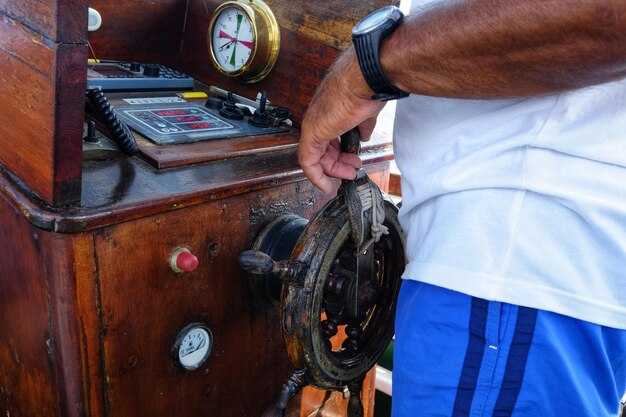

Begin by reading the speedometer readout for total runtime. This first metric lets you look beyond surface impressions and quickly judge whether the engine has become worn, unless you have conflicting data from other sources. This value becomes a quick indicator of duty cycles, telling you when more frequent maintenance or a professional evaluation is warranted. If you see the reading drop unexpectedly, take down notes and view the rest of the data for a fuller picture.
Next, keep a log of service periods and maintenance events. Record dates, shop notes, oil changes, and any gauge anomalies. If gaps appear or numbers diverge from expectations, this needs careful interpretation. Take down notes and compare against the boat’s logs to see whether the pattern supports the reading, or if you should consult a pro.
Conduct a visual check in the engine bay: look for corroded wires, loose connectors, or signs of overheating. A clean view of the gauges and wiring helps the numbers reflect real use. Sometimes the indicators mislead when wiring is compromised, so a quick inspection and, if needed, a professional check can be worthwhile.
Beyond the panel, analyze operation patterns: short trips, long hauls, idle periods, and seasonal use. This context makes a reported time more meaningful and helps you decide on maintenance windows. If a discrepancy arises, consult a professional to confirm the interpretation, especially when the boat operates in variable conditions.
Keeping records over time makes the data more valuable; when you take down numbers and compare with other sources, you gain a clearer view of wear and remaining value. This approach supports proactive maintenance and helps you plan ahead, even in periods of favorable weather or lull in activity.
Boat Maintenance Knowledge Base
Record the time-tracking meter reading after every voyage and store it in the maintenance log; schedule service at the first milestone shown on the console to prevent unexpected downtime.
Diagnostics for saltwater surroundings demand attention to the thermostat, impeller, and cooling passages; stored battery connections should be cleaned, and corrosion removed from wires, serviced by a professional.
For rudimentary installations, verify wiring integrity with a multimeter and observe the console readings; for sophisticated networks, run diagnostics via the integrated computer and use a spare button to boot the diagnostic module when used.
While the vessel is sitting, store the motor controls dry; keep connectors clean; avoid sitting in direct sun; after storage, reassemble and verify that sensors zero properly.
Below is a concise routine: verify fuel filter, inspect wires for frays, test fuel pump operation, and measure coolant flow; use the dashboard console to run a self-diagnostic session.
Better practices: keep saltwater custodianship away from electronic terminals; replace worn gaskets; verify the impeller on a face-down check; maintain a smooth transition between idle and load to avoid stalling.
Regards to documentation, maintain a single source with first and most recent reading; note the date, conditions, and any anomalies; this helps when a professional is consulted.
Stored fuel should be treated with care; use stabilizer; keep tanks vented; when long periods pass, run diagnostics on the console before reusing the craft to ensure fuel quality and sensor accuracy.
Most true indicators come from aligning readings with onboard diagnostics; compare sensor values with the manual baseline and confirm any deviation with a professional diagnostic run.
In saltwater use, staying proactive with regular diagnostics, a clean harness set, and disciplined record-keeping yields smoother operation and longer life of the propulsion module.
Find ECM model and data interface types
Begin with источник of truth: locate the label on the ECM housing and photograph the model name, revision, and data interface type. Create records that tie the exact unit to its connector family and pinout. If the label is absent, use the console readouts and electrical harness layout to deduce the interface rather than guess, thats a reliable start.
Common data interface families include NMEA 2000 (Controller Area Network, CAN), J1939 CAN, VPW, PWM, and serial options (RS-232/RS-485). Some systems route through a gateway that feeds gauges and monitoring screens; in many vessels the console view shows the interface label or a port labeled data or diagnostic, and the wires bundle helps confirm the choice.
Inspect the wires and connectors: a CAN trunk is typically a multi-pin bundle, while VPW/PWM uses distinct single-wire runs. The view from the cockpit console and the surveyor’s inspection should reveal how the wires connects to hours data, rpm, and fault codes; this remains true even with rudimentary electrical harnessing, and it helps avoid issues later.
Once the interface is identified, take a methodical approach to monitoring: map each gauge or display to the corresponding data line, note the source at the console, and record the pattern over a few sessions. This planning helps boaters manage time, reduces difficult dives into records taken years ago, and supports lifespan estimates and hours reporting for owners. View results, compare with source records, and plan maintenance around the observed patterns and the verified interfaces.
Access methods: OBD-II, CAN, and NMEA 2000 adapters
Begin with a NMEA 2000 backbone as your primary data source for marine gauge data; it yields motor runtime, fuel level, RPM, and sensor status across devices at the helm side. Mount near the helm, route cables with proper seals, and document each connection for servicing. This essential setup supports regular monitoring and reduces saltwater corrosion risk, keeping warranty terms intact when you service the unit with authorized dealers.
OBD-II adapters provide a budget entry for basic motor metrics, but data scope is limited on saltwater craft. You’ll likely see RPM and some temperatures from the portable ECU, yet deeper runtime or fuel-flow readouts are unlikely. Use OBD-II as a supplementary feed and confirm compatibility with your network and dealer prior to relying on it for routine monitoring.
CAN adapters unlock access to multiple sensors on the mechanical network: RPM, fuel pressure, temperatures, pressures, and fault flags across devices. They are a strong choice where the rigging already includes CAN-enabled controllers; ensure galvanic isolation and robust sealing to handle saltwater. With CAN, you’ll have centralized monitoring, aiding servicing and informing your warranty decisions, even if some nodes still go offline.
For best results, pair NMEA 2000 as the core data stream with CAN for extended sensor visibility, and keep OBD-II as a fallback option on the side of the setup. Dealer-approved adapters tend to offer the most stable gauge readings during servicing, improving your ability to document runtime without guesswork.
| Adapter family | Typical data | Setup considerations | Ideal use |
|---|---|---|---|
| NMEA 2000 | runtime, fuel level, RPM, temperatures, sensor status | shielded cabling, proper seals, helm-side placement | core monitoring for recreational saltwater craft |
| CAN | RPM, pressures, temperatures, fuel flow, fault flags | gateway mapping, isolation, marine-compatible rigging | extended visibility across CAN-enabled sensors |
| OBD-II | basic motor metrics: RPM, some temps, fault codes | budget path; verify compatibility with the network | fallback data source or quick checks |
Extract engine hours from the ECM: steps and tools
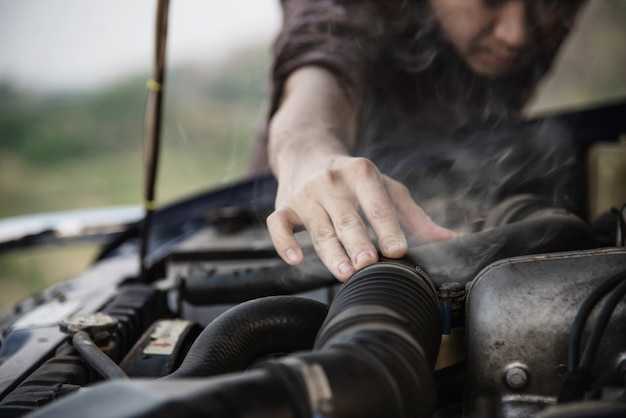
Begin by connecting a marine-grade CAN reader to the diagnostic port and pulling the ECM’s runtime counter. For a 4-stroke propulsion unit, thats crucial to understand actual use and the condition of the powerplant. This approach keeps data consistent across sessions and helps you become confident in longevity planning.
Prep: ignition ON, propulsion system OFF to prevent data changes. Only perform when the craft is stationary and not in gear to ensure the readout reflects total use rather than active run time.
Connect and read: plug the scanner into the diagnostic port and select Live Data or Total Run Time. If the ECM reports seconds, convert to hours (hours = seconds/3600) and record accurately in your logs, including date, time, and the unit identification.
Indicate data quality by cross-checking against the speedometer and prop RPM data during a controlled test. Navigate the ECM interface to compare values versus observed performance; this helps gauge the true condition of the propulsion system.
Include: export logs as CSV or PDF, noting date, readings, ignition state, and a short note on conditions, including recreational use where relevant. Technology-backed records ensure longevity planning and simplify maintenance scheduling. Take the data and make your decisions more proactive; youre routine checks stay aligned.
Tips to navigate the workflow: keep control of data with OEM software, back up files, and store a clear log in a dedicated folder. The gauge readings and logs help you estimate remaining life and take proactive steps to prevent outages. This approach suits recreational craft and commercial setups alike.
Interpret engine hours: running hours vs total hours and service intervals

Use running time and total time as two separate signals; schedule service based on running-time thresholds in the model manual. If a marine hourmeter is wired to SmartCraft or a similar system, the readings indicate active exposure and total duration directly; ensure the connections are clean and the display matches the notebook log.
- Definitions: Running hours reflect active operation; total hours accumulate since installation. This distinction is crucial for forecasting maintenance windows. Patterns show that frequent short trips vs. long cruises produce different wear profiles that influence when service is due.
- Reading sources: For models with SmartCraft connections, access the display to view both numbers; an aftermarket unit should be installed so it clocks only when the motor runs, not merely when the key is turned. Direct connections to the ignition or starter circuit ensure accuracy.
- Maintenance windows: Manuals commonly list intervals such as oil and filter every 100 hours, checks of belts and impellers every 200–300 hours, and major service every 300–500 hours or every 2–3 years, whichever comes first. Calendar time matters too; in october records, well-maintained setups align windows with running hours and report fewer mid-season failures.
- Usage patterns to watch: Frequent short hops increase cold-start stress; steady long cruises load the powertrain more evenly. If the craft sits idle for weeks, verify that total-time remains in step with your notebook entries and observed conditions.
- Practical steps: Access the data from the gauge, compare with the manual, and log dates, fuel quality, and service entries in your notebook. Use that data to project upcoming service windows and adjust based on observed conditions and model-specific notes.
- Installing an aftermarket meter: Choose a unit that counts running time, not just on-time; install directly to the ignition or fuel-system feed. After mounting, verify readings against the factory display. On pontoon setups, place the sensor away from vibration and spray; ensure wiring is secure and doesn’t affect other connections.
- Notes for conditions and other factors: Salt exposure, spray, and heavy fuel use can alter wear patterns; document patterns and adjust maintenance periods accordingly. Always back up readings with the model manual and the maintenance notebook to validate the whole plan.
Verify hours accuracy: cross-check with logs and maintenance records
Verify operating time by comparing hour-meter readings with logs and maintenance records to establish a reliable baseline, then store the result in a central storage file for cross-reference.
Keep all supporting documents in storage, including service invoices, diagnostic summaries, calibration notes, and gauge readings, so data remains available for audit and potential disputes.
Use a standard method that includes dates, gauge values, maintenance actions, part numbers, and running-time indicators; there, the information provides traceability and is considered when judging reliability.
If figures diverge, then determine whether the discrepancy stems from gauge drift, transcription errors, or omitted maintenance entries, and annotate the cause in the log.
For older equipment where the mechanical time-tracking method was introduced, rely on diagnostic checks and storage-backed records to confirm the true running time.
Shape the workflow by using a single routine method to compare readings at each maintenance cycle, and keep data under control and aligned with requirements.
Where instrumentation shows corrosion or drift, flag the reading and use diagnostic checks to validate the true running time; if inconsistent, compare with another source.
An informed understanding of potential errors helps prioritize tasks and informs the team how to act, so the record remains reliable.
Track changes over time to identify trends; document findings there and store the final determination so the crew can track progress and ensure accuracy going forward.
Ultimately, this discipline ensures the reliability of the time record, supporting informed decisions and preventive actions.